
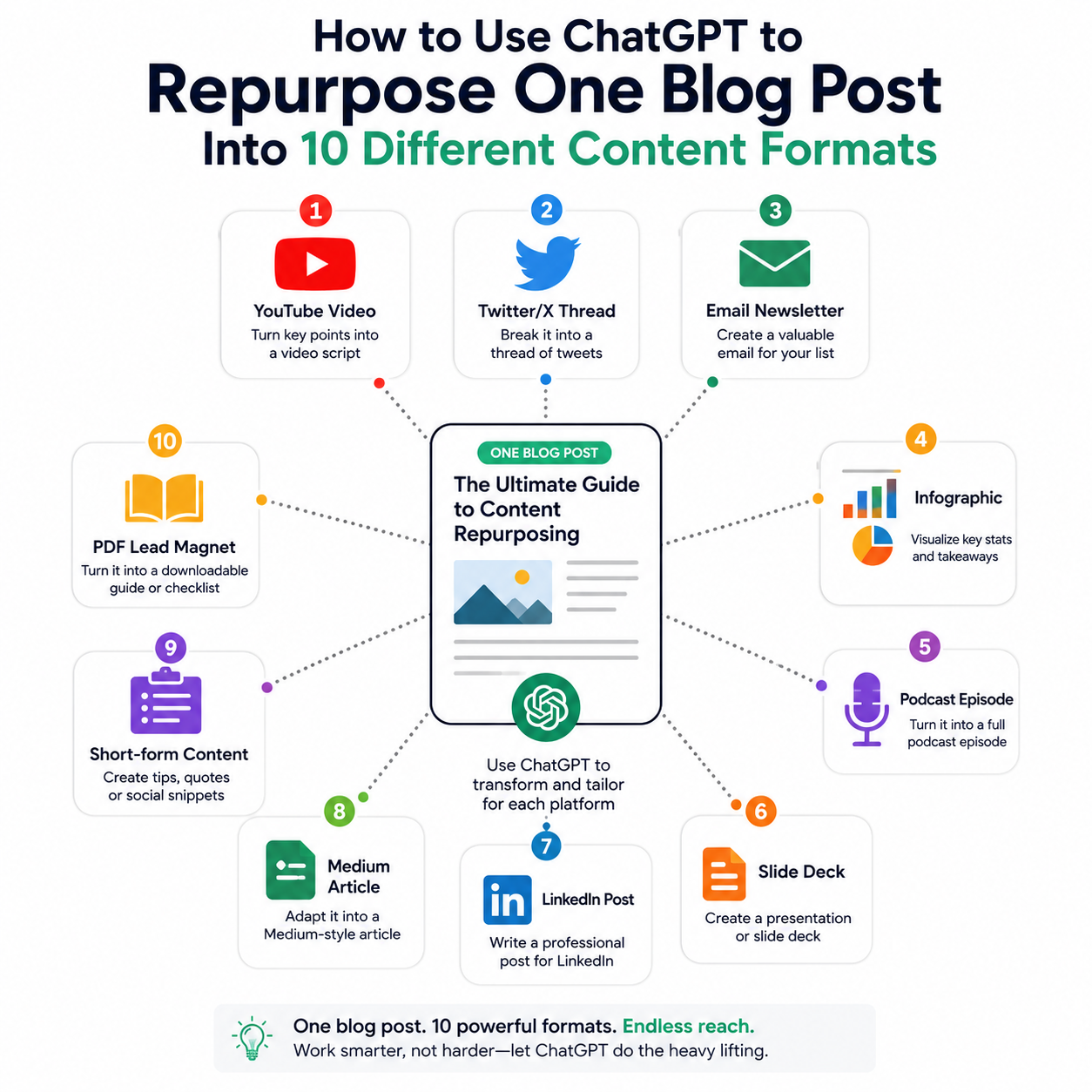
Writing a blog post takes hours. Most of the time, it gets published, shared once on social media, and then forgotten. That’s a significant waste of your best thinking. Learning how to use ChatGPT to repurpose a blog post into multiple formats means every article you write works ten times harder — reaching audiences on different platforms, in different formats, without starting from scratch each time. Here’s the complete workflow, with the exact prompts that work for each format.
Why Content Repurposing With ChatGPT Actually Works
The challenge with repurposing has always been time. Manually rewriting a blog post as a LinkedIn article, then a Twitter thread, then an email newsletter, then a YouTube script takes almost as long as writing the original. That’s why most creators don’t do it consistently.
ChatGPT changes the equation. With the right prompts, you can generate a high-quality first draft of each format in under two minutes. Your job becomes editing and personalising — not starting from scratch. The result is a content calendar that used to take a week, produced in an afternoon.
Before you start, read our guide on how to write better AI prompts — the quality of what ChatGPT produces depends almost entirely on how specifically you ask.
How to Set Up the Repurposing Process
Before running any of the prompts below, start every session with this master prompt. It gives ChatGPT all the context it needs to repurpose accurately across formats:
“I’m going to give you a blog post. I want you to help me repurpose it into multiple content formats. Please read the full post carefully before we start, because I’ll be asking for specific formats one at a time. My brand voice is [describe your tone — e.g., ‘conversational but authoritative, like a knowledgeable friend explaining something clearly’]. My target audience is [describe your readers]. Here is the post: [paste full article].”
Then work through each format below, one at a time. This approach consistently produces better results than asking for all formats at once.
The 10 Content Formats — With Exact ChatGPT Prompts
Format 1: LinkedIn Article
LinkedIn articles rank in Google and reach a professional audience that doesn’t typically read blogs. They perform best when they’re personal, opinionated, and structured for easy scanning.
Prompt: “Repurpose this blog post as a LinkedIn article. Open with a strong personal hook — a first-person observation or surprising insight from the post. Use short paragraphs (2–3 sentences max), bold key points, and end with a question that invites comments. Target length: 600–800 words. Keep the tone personal and direct.”
Format 2: Twitter/X Thread
Threads are one of the highest-reach formats on X, and blog posts are a perfect source material — they already have a clear argument with supporting points.
Prompt: “Turn this blog post into a Twitter/X thread of 8–12 tweets. Tweet 1 should be a strong hook that makes people want to read on — lead with the most surprising insight or contrarian point from the post. Each tweet should be a standalone insight, under 280 characters. End with a tweet that links back to the full article. Number each tweet.”
Format 3: Email Newsletter
Email has the highest conversion rate of any content channel. A blog post repurposed as a newsletter drives traffic back to your site and keeps your list warm.
Prompt: “Repurpose this blog post as an email newsletter. Write a subject line and preview text first (both under 60 characters). Open with a personal, conversational intro that frames why this topic matters right now. Summarise the 3–4 most valuable insights from the post in plain, scannable language. End with a clear CTA to read the full article. Total length: 250–350 words.”
Format 4: YouTube Video Script
Video is the fastest-growing content format, and blog posts translate naturally into structured scripts. ChatGPT can produce a complete script with a hook, sections, and CTA.
Prompt: “Turn this blog post into a YouTube video script. Open with a 30-second hook that presents the core problem or question the video answers. Structure the body using the main sections of the post, written in natural spoken language — no bullet points, no headers, just flowing speech. Include [B-roll suggestions in brackets]. End with a 30-second CTA that asks viewers to subscribe and links to a related video. Total runtime: approximately 5–7 minutes.”
Format 5: Instagram Carousel
Carousels are the highest-reach format on Instagram for educational content. Each slide should contain one insight, and the last slide should drive action.
Prompt: “Repurpose this blog post as an Instagram carousel of 8–10 slides. Slide 1: headline that stops the scroll — make it bold and benefit-led. Slides 2–8: one key insight per slide, written in 15–25 words max. Use simple, punchy language. Slide 9: a summary or takeaway. Slide 10: a CTA (follow for more / save this post/link in bio). Label each slide clearly.”
Format 6: Pinterest Pin Descriptions
Pinterest is an underused traffic source for bloggers. Keyword-rich pin descriptions drive consistent long-term traffic to your original post.
Prompt: “Write 3 Pinterest pin descriptions for this blog post. Each should be 150–300 characters, include the main keyword naturally, lead with a benefit or question, and end with a soft CTA. Make each description distinct — vary the angle and opening line.”
Format 7: Short-Form Video Script (TikTok / Reels)
Short-form video requires a completely different structure from long-form. The hook must land in the first two seconds, and the entire script needs to work in 45–60 seconds.
Prompt: “Write a 45–60 second TikTok/Reels script based on the single most surprising or contrarian insight from this blog post. Second 1–3: hook — a bold statement or question that stops scrolling. Seconds 4–45: deliver the key insight with one concrete example. Final 5 seconds: CTA — what should they do next? Write it as spoken word, with natural pauses marked.”
Format 8: Podcast Episode Outline
If you have a podcast — or are considering one — your blog posts are already structured as episode content. ChatGPT can turn any post into a complete episode outline with talking points and interview questions.
Prompt: “Turn this blog post into a podcast episode outline. Include: episode title, a 2-sentence episode description for the show notes, an intro segment (what the episode covers and why it matters), 4–5 main talking point sections with 3 bullet points each, and an outro with listener action items. If this were an interview episode, suggest 5 questions to ask a guest on this topic.”
Format 9: Quora or Reddit Answer
Quora and Reddit answers that provide genuine value drive significant referral traffic and build authority. Your blog post is a perfect source material for a detailed, helpful answer.
Prompt: “Repurpose the most useful section of this blog post as a Quora or Reddit answer to the question: ‘[insert the question people would ask that your post answers]’. Write in a helpful, non-promotional tone — no direct links or selling. The answer should stand alone as genuinely useful. Length: 200–400 words. End with a subtle mention that you’ve written more on this topic.”
Format 10: Lead Magnet or Content Upgrade
Turn your blog post into a downloadable PDF checklist, cheat sheet, or mini-guide that you can offer as a lead magnet to grow your email list.
Prompt: “Turn this blog post into a one-page PDF checklist/cheat sheet that readers can download and keep. Extract the most actionable steps and insights. Format it as: a title, a one-sentence intro, and 10–15 checklist items written as clear action steps. Each item should be complete, not vague advice. Include a section header, a footer with your website URL, and a brief ‘about’ line.”
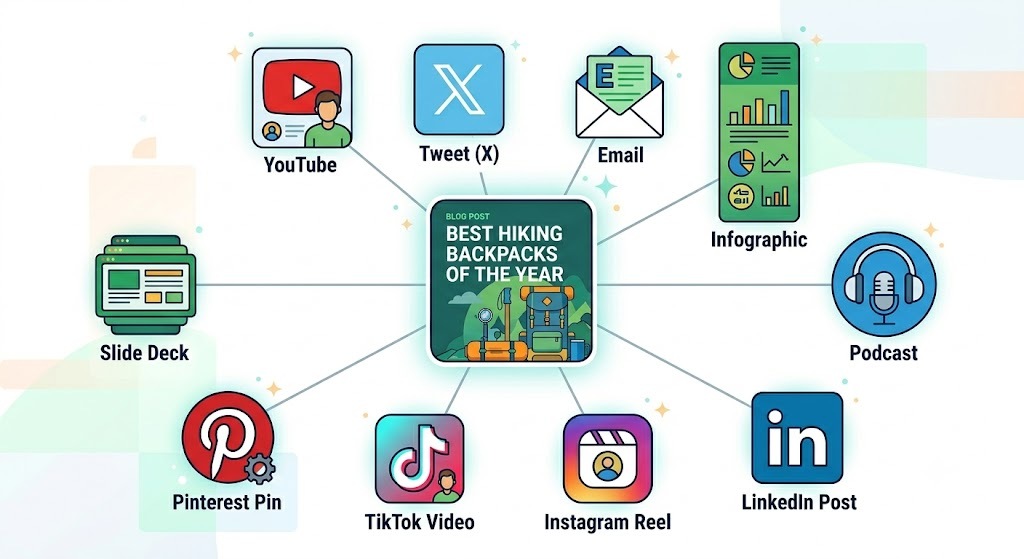
The Full Repurposing Workflow in Practice
Here’s how to run the complete workflow efficiently without spending a full day on it:
- Publish your blog post first. Always start with the long-form article — it’s your content hub and the source of everything else.
- Open ChatGPT and paste the master context prompt with your full article text.
- Run each format prompt one at a time, copying the output into a Google Doc or Notion page for editing.
- Edit each piece — add your voice, remove anything generic, verify any facts. Never publish raw ChatGPT output without reading it. Our guide on AI vs human writers explains exactly why this editing step matters.
- Schedule across platforms using a tool like Buffer or Later — stagger the formats over 2–3 weeks so one article fuels multiple weeks of content.
The full process — prompting, editing, and scheduling all 10 formats — takes 2–3 hours once you’re familiar with the workflow. That’s a significant return on a single blog post. For more on how professionals are structuring AI-assisted content workflows, see our article on what people are actually using AI for in 2026.
Frequently Asked Questions
Can ChatGPT repurpose a blog post automatically without multiple prompts?
You can ask for all formats at once, but the quality drops significantly compared to prompting one format at a time. The approach above — one format per prompt, with the master context set first — consistently produces better, more platform-appropriate output.
Which repurposed format drives the most traffic back to the blog?
Email newsletters have the highest click-through rate, typically 2–5% of your list. LinkedIn articles and Pinterest pins drive the most consistent organic traffic over time. Twitter/X threads produce the fastest short-term spike. Use all three for maximum effect.
Do I need a paid ChatGPT subscription to do this?
The free tier of ChatGPT (GPT-3.5) is capable enough for most repurposing tasks. GPT-4 produces noticeably better output for longer formats like YouTube scripts and email newsletters, and is worth the subscription if you’re repurposing content regularly.
How do I make the repurposed content sound like me and not like AI?
Include your brand voice description in the master context prompt, then edit every output before publishing. Add a personal anecdote, replace generic phrases with your own language, and cut anything that sounds corporate or robotic. The editing pass is what separates usable content from obviously AI-generated content.
Can I use Claude or Gemini instead of ChatGPT for this workflow?
Yes — the prompts above work well with Claude and Gemini too. Claude tends to produce stronger long-form formats (email newsletters, podcast outlines, LinkedIn articles). ChatGPT tends to perform well on structured formats (threads, carousels, scripts). Try both and use whichever produces output closer to your voice.
The best content creators in 2026 aren’t writing more — they’re distributing smarter. One well-researched blog post, repurposed systematically with ChatGPT, can fuel an entire month of content across every platform your audience uses. The workflow takes an afternoon to set up. The return compounds every time you publish.
