It was a crisp Wednesday morning. I was holed up in my classroom, sunlight streaming through the windows, illuminating the chaos of my desk. Piles of student essays awaited my attention, each one a treasure trove of creativity and misplaced commas. I glanced at the clock: 9:15 AM. My to-do list was a solid mile long, and I was wondering, as I often do, how to make the best use of my precious minutes. Then it hit me—writing better prompts for AI tools could be the game-changer I needed.
Teaching isn’t just about delivering knowledge; it’s about keeping students engaged. But let’s be real: I’m not a tech wizard. So, when I first heard about AI tools like ChatGPT, I dismissed them as another passing phase. “Great, more work,” I grumbled. But a chat with my friend Jamie changed everything. She showed me how she’d turned her lesson planning around with just a bit of AI help, and suddenly my interest was piqued.
My First AI Prompt Disaster
My first attempt at using AI for lesson planning? Oh boy. I thought I could just ask ChatGPT to create a lesson plan on the Civil War. I typed like I was sending a text: “Make a lesson plan.” And what did I get? A robotic, lifeless outline that had all the excitement of a damp sponge. The activities suggested were so dry they could’ve been used as a sleep aid.
Learning from My Mistakes
After my initial failure, I almost packed it in. But then I remembered something my mentor, Mrs. Fields, always said: “Failure is just the first step.” It hit me—I needed to change how I was prompting the AI. Instead of minimalist commands, I decided to be more specific, more creative. Instead of just “Make a lesson plan,” I started asking things like, “Can you create an engaging lesson plan for 8th graders on the Civil War, including interactive group activities and multimedia resources?”
The Magic of Specificity
And wouldn’t you know it? The results started improving. The AI suggested engaging debates, historically accurate games, and even multimedia presentations featuring videos and graphics. It was as if I’d opened a floodgate of creativity.
Crafting the Perfect Prompt
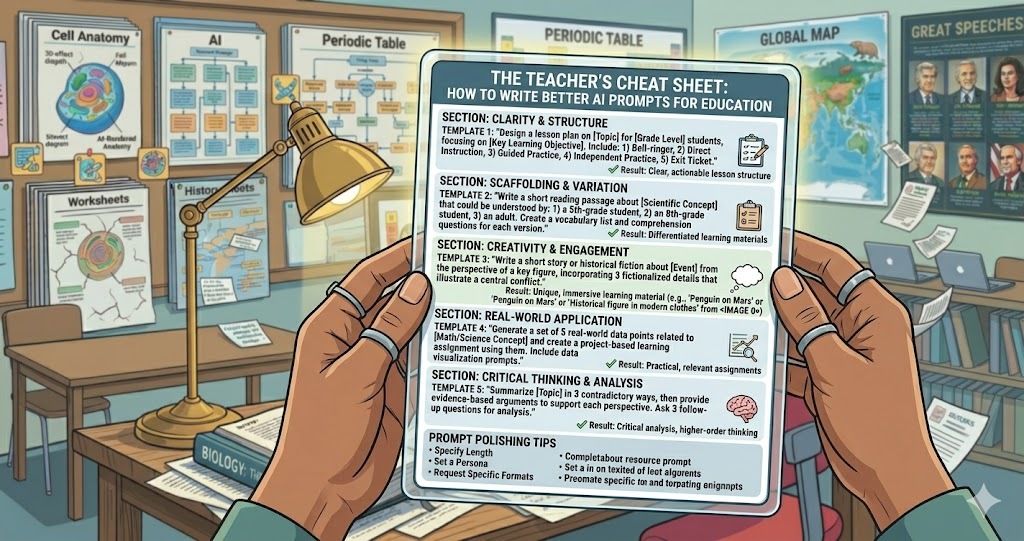
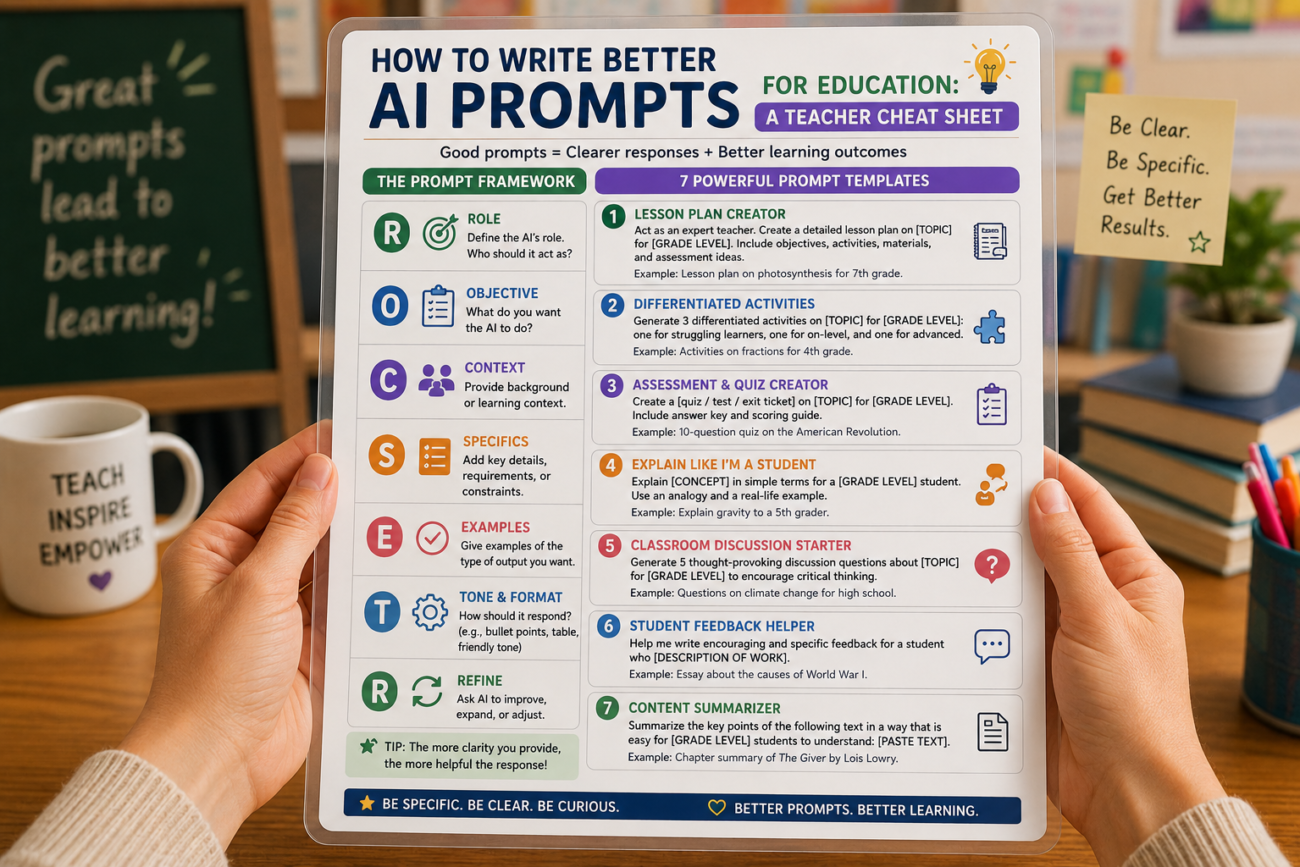
Now, I’ve developed a little cheat sheet for writing better AI prompts that I wish someone had handed me from the start. Here’s what I’ve learned:
- Be Specific: Don’t just ask for a lesson plan; outline the grade, topic, and desired activities.
- Add Context: Give the AI some background. Mention any particular standards or student interests.
- Set the Tone: If you want humor or a serious tone, say so!
- Ask for Variety: Request different types of activities—discussions, projects, even games!
- Iterate: Don’t hesitate to ask for revisions. If something’s off, refine your prompt and try again.
Examples That Worked
For instance, as I was preparing my lesson on ecosystems, I typed: “Create a 5-day lesson plan for high school students on ecosystems, incorporating hands-on activities, outdoor exploration, and assessment strategies.” The AI not only provided a detailed outline but also included a scavenger hunt for identifying local flora and fauna. My students loved it!
Don’t Forget the Follow-Up
Here’s where it gets even better: after implementing the AI-generated plans, I always ask my students for feedback. What did they like? What could be better? This iterative process has not only improved my lessons but also made my students feel involved in their learning. Win-win!
FAQ: Your Questions Answered
1. Can I use AI for all subjects? Absolutely! Whether it’s math, science, or literature, AI can help with creating lesson plans tailored to specific topics.
2. How much time should I spend crafting prompts? It varies. Initially, it might take longer, but as you practice, you’ll get quicker. I’d say spend at least 10-15 minutes refining your prompt.
3. What if the AI’s suggestions don’t fit my classroom? Use the AI’s suggestions as a starting point. Don’t be afraid to tweak them to fit your unique classroom culture.
4. Is it cheating to use AI for lesson planning? Not at all! Think of it as a powerful assistant that helps you focus on delivering the content rather than getting lost in planning.
5. What if I still struggle with prompts? Practice, practice, practice! Share your struggles with colleagues, and maybe even collaborate to craft prompts together.
Reflecting on My Journey
Now, as I sit here prepping for another day of teaching, I can’t help but smile. Sure, I still have moments of chaos, where I feel like I’m juggling fire. But those times when I remember to use AI effectively? Game changers. My students are happier, more engaged, and I’m less overwhelmed. If I can learn to harness this tool, so can you. Teaching doesn’t have to be a lonely uphill battle. Sometimes, all it takes is a few well-crafted prompts to light the way.
